How to create products users love: applying Emotional Design and UX heuristics in real projects
Jonathan Felipe de Oliveira | Mar 27, 2026

Listen to this article
For years, product design prototypes essentially meant the same thing: clickable flows, simulated states, and a lot of imagination to explain what didn’t yet exist. Over the past few months, however, AI-powered prototyping tools have begun to change that dynamic — especially for complex digital products with complex data structures, business rules, and multiple user flows.
In this article, I share a hands-on exploration conducted from a product design perspective, testing AI-based prototyping tools currently available in the market. The goal wasn’t to determine which tool is “best”, but to understand when each one makes sense, what UX risks it introduces, and how it can (or cannot) accelerate the design process.
This content is grounded in applied research — real attempts, missteps, iterations, and lessons learned — not a polished demo.
Before discussing tools, it’s important to clarify a principle that guided the entire exploration:
AI accelerates execution. It does not define strategy.
None of the tools tested can replace product decisions, contextual understanding, or UX judgment. When that distinction isn’t made explicit from the start, the risk is significant: over-reliance on AI, unrealistic expectations of speed, or acceptance of “functional” solutions that ultimately degrade the user experience.
Another early insight was recognizing that AI requires context — and a fallback plan. Across all experiments, one thing became clear: there is no single AI solution for the entire product process. The value lies in placing each tool at the right moment within the workflow.
Read more: From Testable Code to AI-Driven Testing: How Frontend Developers Can Finally Trust Their Tests
One of the main findings was that the same tool can be highly effective in one phase and risky in another. Below are the key takeaways organized by project stage.
At this stage, precision is not the goal. The objective is to generate perspective, spark discussions, and unlock conversations with stakeholders.
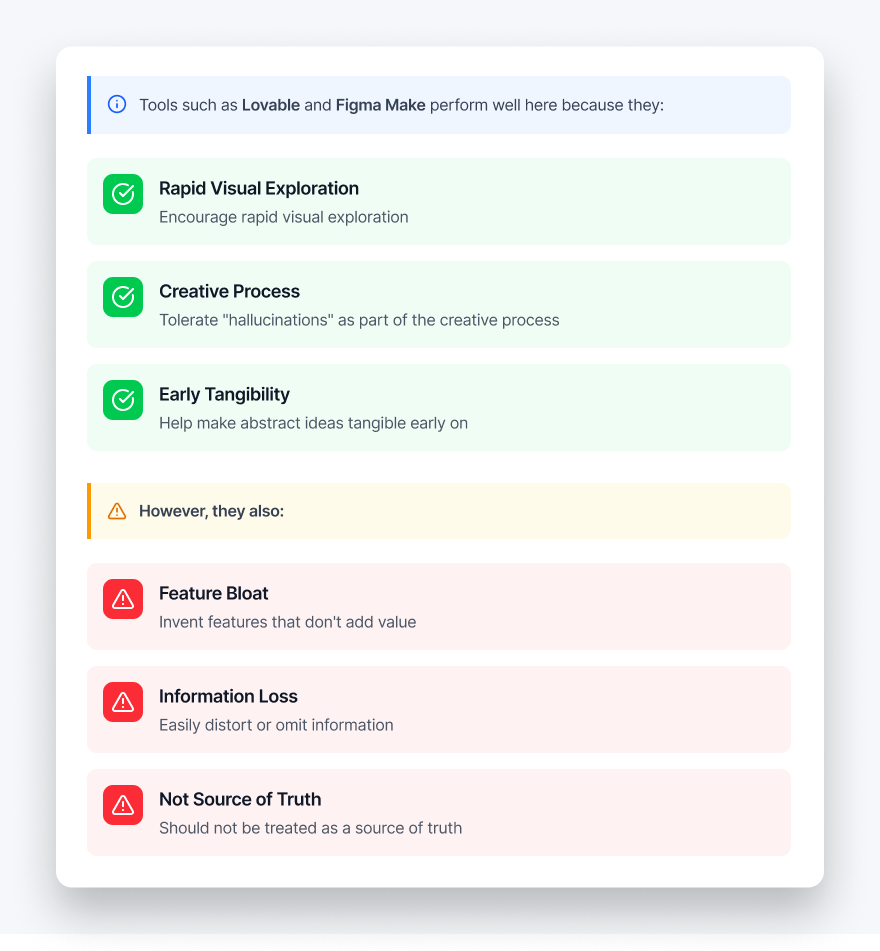
Recommended use: visual brainstorming, fast prototypes for early discussions, and alignment.
As the project takes shape — with clearer flows, defined scope, and higher fidelity — the expected behavior from AI changes significantly.
At this stage, tools like Cursor and Claude Code, when integrated with Figma via MCP, showed meaningful advantages:
In one of the tested projects, a structured user flow was transformed into a functional prototype in just a few days while maintaining visual consistency and logical coherence.
Recommended use: finalizing definition, generating functional prototypes with higher control, and preparing for realistic demos or early validation testing.
Read more: Quick Guide: Setting Up and Using Cursor with Claude 3.7
During execution, AI shifts from something “client-facing” to an internal productivity tool. In this phase, it proved useful for:
With one clear rule: nothing moves directly to users or stakeholders without human validation.
Recommended use: internal support, technical exploration, and maintaining momentum across iterations.
Perhaps the most important lesson from the entire exploration is this:
AI does not preserve UX intent on its own. Even with an established design system, defined tokens, and mapped flows, tools frequently:
This became evident across multiple iterations of the same project. Whenever UI rules and responsive behavior were not explicitly locked from the beginning, regressions appeared.
The solution was not “better prompting,” but stronger foundations:
When these constraints were in place, prototype stability and quality improved dramatically.
Not exactly. AI-generated prototypes occupy an interesting middle ground:
They work well for:
They work poorly for:
Read more: AI & Machine Learning Glossary: Key Terms for Modern Businesses
After weeks of experimentation, the conclusion is clear: AI prototyping tools are not design tools. They are reality accelerators.
When treated as a “magical designer,” they compromise UX. When treated like a junior pair programmer — operating under clear rules, frozen decisions, and constant supervision — they unlock something powerful: the ability to turn complex ideas into navigable experiences much earlier in the process.
For product designers, the challenge is not learning how to use AI. It’s understanding where it belongs, where it doesn’t, and what it should never decide on its own.
Used thoughtfully, AI does not replace design. It extends its reach.